Ask ten growth marketers whether to run Performance Max or Search and you'll get the same split. Search is the one you can control. Performance Max is the one that shifts budget to YouTube and reports a 9x ROAS. Choose a side and defend it.
That's a lazy answer. The campaign type isn't the decision. The decision is whether you can prove the campaign created revenue that wouldn't have arrived without it. Everything else in the performance max vs search campaigns argument, keyword control, placement lists, bid strategy, asset groups, is downstream of that single question.
So this isn't another feature grid. It's a decision framework you can run inside a live account this month, built on incrementality instead of platform-reported ROAS. Revenue beats dashboard numbers every time, and the businesses that get this wrong usually discover it a quarter after the money is gone.
Performance Max vs Search at a Glance
Search buys explicit keyword intent. Performance Max buys conversions across Google's properties from one goal-based campaign. That single sentence is the whole strategic difference, and the table below is the operational detail that follows from it.
| Criterion | Performance Max | Search Campaigns |
|---|---|---|
| Goal setting | Goal-based, one campaign serving every channel | Organized around keyword and query intent |
| Inventory | Search, YouTube, Display, Discover, Gmail, Maps and Shopping | Primarily Google Search |
| Keyword control | Search themes and automated signals, no direct keyword bidding | Exact, phrase and broad match keywords |
| Exact-match priority | Doesn't outrank an identical exact-match keyword | Outranks Performance Max for identical queries when budget is available |
| Brand exclusions | Campaign-level brand lists applied to Search, Shopping and YouTube search, per Google's brand exclusion scope | Managed through keyword and negative keyword structure |
| Placement exclusions | Account or manager-account level only | Not applicable to standard Search placements |
| Learning period | Google recommends at least six weeks, per Google Ads campaign guidance | Faster to launch, though the bid strategy still needs conversion history |
| Reporting | Search-term data, channel performance and network segmentation | Full keyword and search-term reporting |
| Budget behavior | May shift spend toward cheaper YouTube or Display inventory | Stays in Search inventory and limits delivery when constrained |
Performance Max became broadly available on November 2, 2021, and Google's launch announcement described a single campaign that folds automated bidding, targeting, creative and placement decisions across Search, YouTube, Display, Discover, Gmail and Maps into one place. Google reported that advertisers using it achieved an average 13% increase in total incremental conversions at a similar cost per action, based on global internal data collected from July through September 2021. Read that number for what it is: an average across Google's own advertiser base, not a benchmark for your account.
Now translate the rows into a decision. If it matters which query triggers your ad, and it always does when a $4,000 installation and a $40 repair can both match the same phrase, Search is the only campaign type that lets you write the rules. If your real problem is that you've already captured every obvious high-intent term and more volume means paying more for identical clicks, Performance Max exists to find conversions outside that list.
The first takeaway is that these campaigns answer different questions. Search answers "who should see this ad for this query." Performance Max answers "where else can I find someone who converts." If you must control specific queries, Search is your anchor. If you need reach beyond those queries, Performance Max earns a place beside it, judged on incremental volume rather than on an average Google publishes for the whole market.
How Each Campaign Chooses Where Your Ads Show
Walk through a plumbing company. It runs an exact-match Search campaign on "emergency drain repair" with Performance Max alongside it. When a homeowner types those exact three words at 11pm, the Search campaign gets first call on the auction, provided it still has budget to spend. Performance Max takes the perimeter: the friendlier phrasings, the "water backing up in the basement" searchers, the YouTube viewers watching a clogged-drain video, the Maps result for someone two streets away.
Why budget availability decides the winner
The priority rule is narrower than most accounts assume, and it's where overlap arguments usually fall apart. An identical exact-match keyword inside a live Search campaign outranks Performance Max for that query. That protection evaporates the moment the Search campaign hits its daily budget, because a campaign with no money left can't serve. Priority depends on two things at once, query match and available budget, and only one of them is visible on a campaign settings page.
That's the quiet failure mode. An advertiser builds a tidy exact-match structure, caps the budget at last year's level, and then wonders why Performance Max is suddenly reporting conversions on the brand's core money terms. Nothing broke. The Search campaign ran out of cash before the day did.
Practical rule: Any exact-match term you would be upset to lose belongs in a Search campaign with enough daily budget to run all day, not most of it.
Search themes sit at the same priority as phrase and broad match keywords, so they shape where the campaign competes without overriding an exact match in a funded Search campaign.
The list you build before you judge overlap
Before you accuse Performance Max of cannibalizing anything, do this exercise:
- List your ten highest-value exact-match terms, the ones tied to your most profitable service or product.
- Check the daily budget on each campaign that holds them, then check what time of day delivery stops.
- Confirm the terms are funded, because an underfunded exact match is a Performance Max invitation.
- Document the boundary in writing, so the next person to touch the account doesn't undo it.
If those four steps are done and Performance Max still delivers on protected queries, that's a real overlap problem worth solving. If they aren't done, you've diagnosed your own budget before you've diagnosed the campaign. Understanding what paid search actually covers helps here, because the answer shapes which terms deserve protection and which are nice to have.
Budget Conflicts and Placement Controls That Matter
Cutting a Performance Max budget in half does not cut your reach in half. It changes what the campaign buys, and usually not in your favor. Google's own Performance Max setup guidance warns that when a campaign is limited by budget, automation may chase cheaper inventory such as YouTube or Display to maximize conversions inside the available constraint. The same guidance notes that campaign-level placement exclusions aren't currently available for Performance Max, so blocking bad placements has to happen at the account or manager-account level.
That combination creates the pattern most advertisers misread. They reduce budget to control costs, conversions hold for a week, then lead quality drops and they blame the campaign type.
The one reason budget changes channel mix
Performance Max optimizes to a goal under a constraint. When the constraint binds, the cheapest available path to that goal wins, and clicks on cheaper inventory clear at a lower price than a contested Search auction. The campaign isn't malfunctioning. It's doing exactly what you told it to do with less money. This is why budget is a targeting control in Performance Max, not just a spending limit.
| Scenario | What Performance Max does | What to do |
|---|---|---|
| Budget limits the Performance Max campaign | Shifts spend toward cheaper YouTube or Display inventory | Raise budget or separate reach goals into their own campaign |
| Exact-match Search term is budget-limited | Can serve for the exact term occasionally | Fund high-value exact-match campaigns first |
| Brand queries overlap | Can capture branded demand already in Search | Apply brand exclusions and review search terms weekly |
| Unwanted placement appears | Campaign-level placement exclusions are not available | Add the exclusion at account or manager-account level |
| Conversions fall after a channel shift | Spend has moved toward cheaper YouTube or Display inventory | Compare performance by channel before cutting the whole budget |
The last row causes more bad decisions than the other four combined. A channel shift looks like a performance collapse in the aggregate, when often one network is producing junk and another is producing your best customers. Read the channel report before you touch the budget.
Audit placements and channel reports weekly through the entire learning window. Set the calendar reminder now, before launch, because nobody remembers to check the week things go sideways.
Account-level exclusions are your only real placement lever here, so build the list proactively rather than reacting to one bad placement at a time. A working Performance Max negative keyword discipline plus a maintained exclusion list does more for lead quality than any bid adjustment.
Measuring Whether Performance Max Adds Real Revenue
A raw ROAS comparison between these two campaign types tells you almost nothing, because they report on different inventory mixes. Performance Max can convert on YouTube, Display, Discover, Gmail and Maps, where a Search-only baseline has no equivalent audience to count. Put the two numbers side by side without matching exposure and you're comparing a broadcast buy to a query buy, then calling it a fair fight.
The gap between what a dashboard reports and what the business earned is where most budgets disappear.

| Metric | What it shows | Where it misleads |
|---|---|---|
| ROAS | Revenue returned per ad dollar | Credits demand the business already had, such as branded searches |
| Cost per conversion | Efficiency of platform-tracked conversions | Ignores lead quality unless CRM outcomes are linked |
| New-customer rate | Share of conversions from people new to the business | Needs customer data to confirm |
| Incremental CPA | Cost per conversion the campaign actually caused | Requires a holdout or geo test and more time to run |
| Impression share | Share of eligible Search auctions won | Does not reveal overlap with Performance Max |
| Branded-query share | Share of conversions coming from brand terms | Can inflate Search results and flatter the Search campaign |
The averages mislead in a second way. Search Engine Land's analysis of Performance Max performance data reported that Performance Max ROAS increased 1%, from 609.77% to 616.36%, between Q3 2023 and Q3 2024. A 1% move inside a 600% number is noise wearing a suit. If a headline ROAS that large is your success metric, you'll never notice the campaign slowly losing qualified leads.
The only verdict that holds up
The impression share row trips up more accounts than any other. Google's campaign priority documentation confirms that search themes carry the same priority as phrase and broad match keywords, so the auctions Performance Max wins and the auctions your exact-match campaign wins are different auctions. Impression share measures one of them. It tells you nothing about the other and nothing about overlap.
Judge Performance Max on incremental CPA, new-customer rate and CRM-confirmed revenue. If those three hold up, the ROAS debate stops mattering. That's the standard we hold accounts to at The Advertising Suite: we test, measure and optimize rather than guess, which means structured Google Ads optimization starts with what the CRM says, not what the platform claims.
Combining Both Campaigns Without Cannibalizing Brand Traffic
The operational boundary between these campaigns is moving fast. Google's announced 2026 Performance Max updates add first-party customer exclusions, budget reporting, demographic reporting and network-segmented placement reporting, while Search gains AI Max capabilities and campaign-level search-term reporting that also supports Performance Max, according to Google's 2026 steering and reporting update. Google also said Dynamic Search Ads would auto-upgrade to AI Max beginning in September. Traditional Search is automating whether or not you're ready.
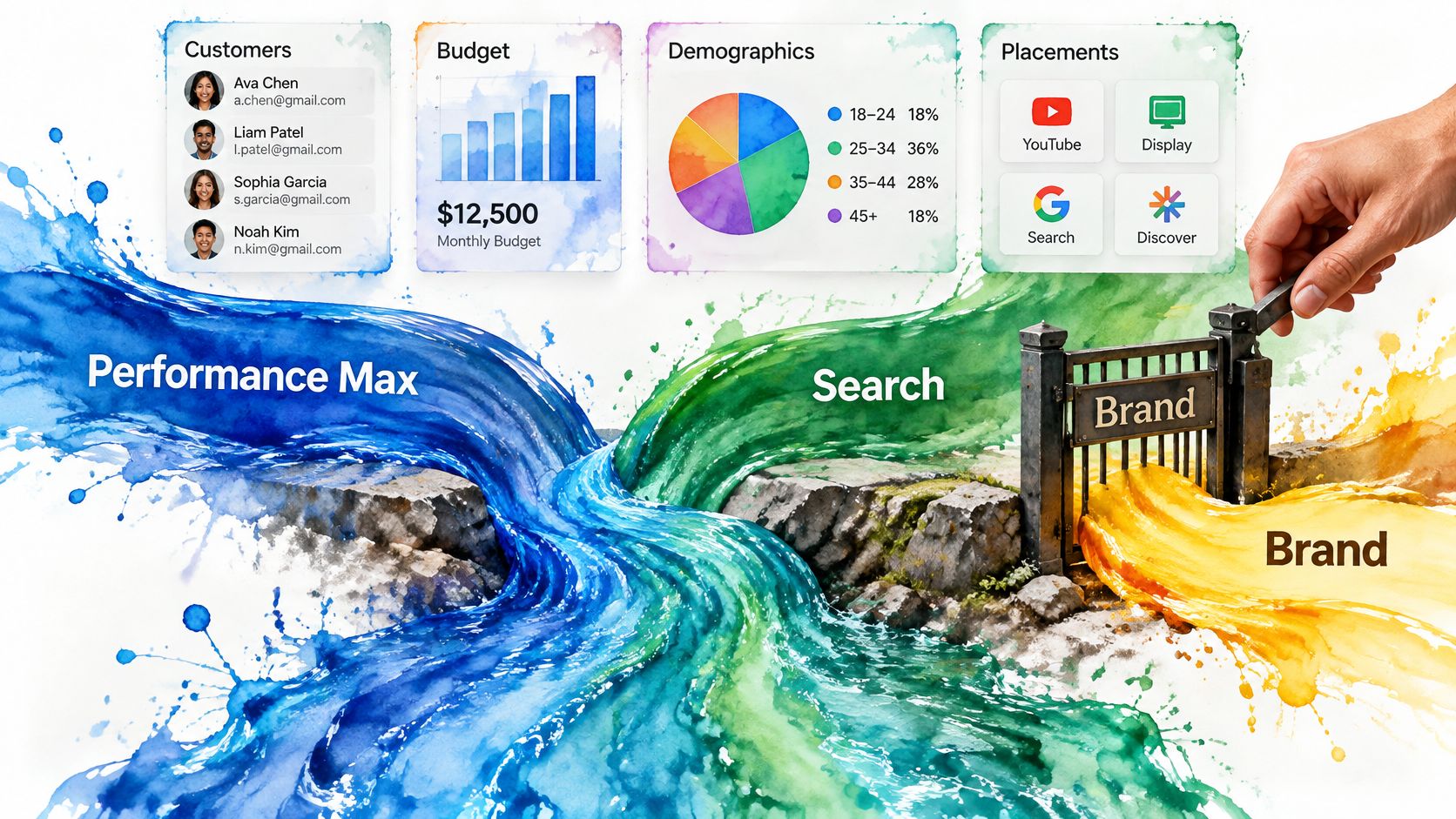
That means the governance problem, not the campaign choice, is what separates clean accounts from messy ones. Old channel labels stop being useful when the interfaces converge.
The guardrail sequence
- Protect brand and exact-match queries in Search first. These are the terms where you know the intent and can afford to pay for certainty.
- Apply brand lists and first-party customer exclusions in Performance Max, then check the interface for how broadly each one is applied. Scope moves.
- Review search terms and placements weekly. Auto-generated assets don't audit themselves.
- Audit auto-generated creative and expanded landing pages for claims, pricing and offer mismatches before they run for a month.
- Feed CRM lead-quality outcomes back into both campaigns. A disqualification is a targeting signal, not just a sales note.
- Judge Performance Max by marginal profit and qualified outcomes, never by the cost per form fill.
A franchise example makes the split concrete. Brand Search runs in every market with location tracking, protecting the name and the "near me" variants. Performance Max handles non-brand reach across all markets, with location-level exclusions for the territories that can't service the demand. Two campaigns, different jobs, one document that explains which is which.
Write the split down. Without a one-page document naming what each campaign owns, budget drifts toward whichever campaign reports the prettiest number that month.
Cross-market setups also need cross-channel attribution that links a lead back to the campaign and location that produced it, otherwise every market claims credit for the same conversion.
Which Campaign Fits Your Business Situation
Local service businesses live on a handful of high-intent terms: emergency HVAC repair, personal injury lawyer near me, same-day dentist. Those queries need Search's control and they need to be judged on booked jobs, not form fills. Run Search for the core services, add Performance Max only after your CRM confirms which leads became revenue. A campaign that produces a mountain of form fills and two booked jobs is a tracking problem wearing a media problem's clothes.
E-commerce with a full product feed is the opposite case. Performance Max handles feed-driven reach and Shopping inventory well, while Search protects brand terms and your best exact-match product queries. Give the two campaigns different jobs and resist the urge to let Performance Max bid on your own brand name.
Multi-location franchises need a per-market structure, because demand varies block by block and a single national average hides both the best and worst locations. Early-stage brands with low conversion volume should build in Search first. Performance Max needs conversion volume to learn from, and a thin signal produces confident spending on cheap actions that never become customers.
| Business situation | Recommended setup | Why |
|---|---|---|
| Local service lead generation | Search for core service terms, Performance Max for added reach once lead quality is confirmed | High-intent terms need control; CRM data confirms quality |
| E-commerce with a full product feed | Performance Max alongside Search brand and exact-match campaigns | Feed-driven reach with protected branded demand |
| Multi-location franchise | Search per market with location tracking, Performance Max with location-level exclusions | Local demand varies and must be measured market by market |
| Early-stage brand with low volume | Search first to build conversion data | Performance Max needs conversion volume to learn |
| Scale-ready SMB with proven Search | Combined setup with a holdout test before budget shifts | Incremental results decide how far to scale |
Match your situation, adopt the setup that fits, and revisit the moment the constraint changes. A business that was early-stage six months ago may now have the volume to test something broader.
Run a Holdout Test Before You Scale Budget
Set the test boundaries before changing spend. Choose geographic or audience groups, keep Performance Max out of the control group for the full learning window, and leave Search unchanged in both groups. Record the locations, audience criteria, and attribution window in advance so the comparison cannot be reshaped after results arrive.
Google's incrementality experiment announcement describes lower spending thresholds and results surfaced in the interface. For the setup and reporting steps, use this guide to incrementality testing.
Set a decision rule before launch: expand Performance Max only if the treatment group produces more qualified revenue without weakening brand Search results. If the result is mixed, keep budgets steady and address overlap before running another test.
The Ad Suite Membership costs $400 per year. Members get access to the in-house CRM and automatically receive a 25% discount on all products and services, with no caps or limits. Request a demo through the Request a Demo or Book a demo buttons to discuss how the suite can support your marketing.