A cheaper click is not a better campaign. A query group that moves spend from high-intent terms to broad informational ones will lower CPC and cut qualified leads faster. Google Ads optimization that chases cost per click, or a blended return that looks tidy at the campaign level, keeps funding traffic that never becomes revenue.
The target is profit per qualified lead and the margin behind it. Start with the cheapest fix, which is almost never a bid change. Name the action that pays the bills, then stop letting page views, short calls, and duplicate thank-you loads train the bids. As AI-driven placements blur where conversions begin, keep measurement honest: one primary outcome, a value that reflects margin, a hard look at where spend goes. The audit below treats Search, Shopping, Display, Video, and Performance Max the same way.
Audit Checks for Every Campaign Type
Blended ROAS is a reporting convenience, not an optimization target. One account-level number can look healthy while a single campaign buys junk placements, a product line sells at a thin margin, or brand demand gets counted as new growth. The average also hides quiet leaks: a campaign with a strong return can carry a weak segment for months because the profitable half covers the loss. Pull each row on its own and judge it against revenue or qualified leads, not just platform conversions. Margin is the filter that keeps the audit honest. A modest return on a high-margin line often beats a large return on a low-margin one.
| Campaign type | First check | Metric to judge | Warning sign |
|---|---|---|---|
| Search | Search terms report and Quality Score components | Profit per click and cost per qualified lead | Spend on irrelevant queries with no conversions |
| Shopping | Product-level ROAS and feed data | Contribution-margin ROAS | High-volume products with thin margins |
| Display | Placement report and audience exclusions | Conversion rate and assisted conversions | Clicks from low-quality sites with no conversions |
| Video | View-through conversions and audience match | Cost per conversion within the lag window | High view counts with no site visits |
| Performance Max | Asset group insights and search theme data | Cost per qualified lead or margin ROAS | Conversions driven by brand queries you already own |
The audit starts where budget leaks first: Search query waste, Shopping volume that carries thin margins, Display placements that collect clicks and never appear downstream, Video views that never become visits, and Performance Max conversions for brand demand you already own. Do not let platform-reported conversions settle the question. A lead that never answers the phone, a sale that ships at low margin, or a view that never becomes a visit can all sit inside a healthy average. I would review the first check, the judged metric, and the warning sign against the same primary conversion and the same margin-based value. As AI-driven placements blur where a conversion came from, the honest audit stays row by row, with CRM outcomes close at hand. The row that fails its warning sign gets a fix before the next budget increase.
Every campaign leaves the audit with one named primary conversion, an assigned value, and a reviewed list of what it spends on.
How to Fix Conversion Tracking Before You Bid
Bids only learn what you teach them. Google defines a conversion as a valuable customer action after an ad interaction, such as a purchase or another business outcome, and you get conversion rate by dividing conversions by ad interactions. That math is useless if the event is a page view.
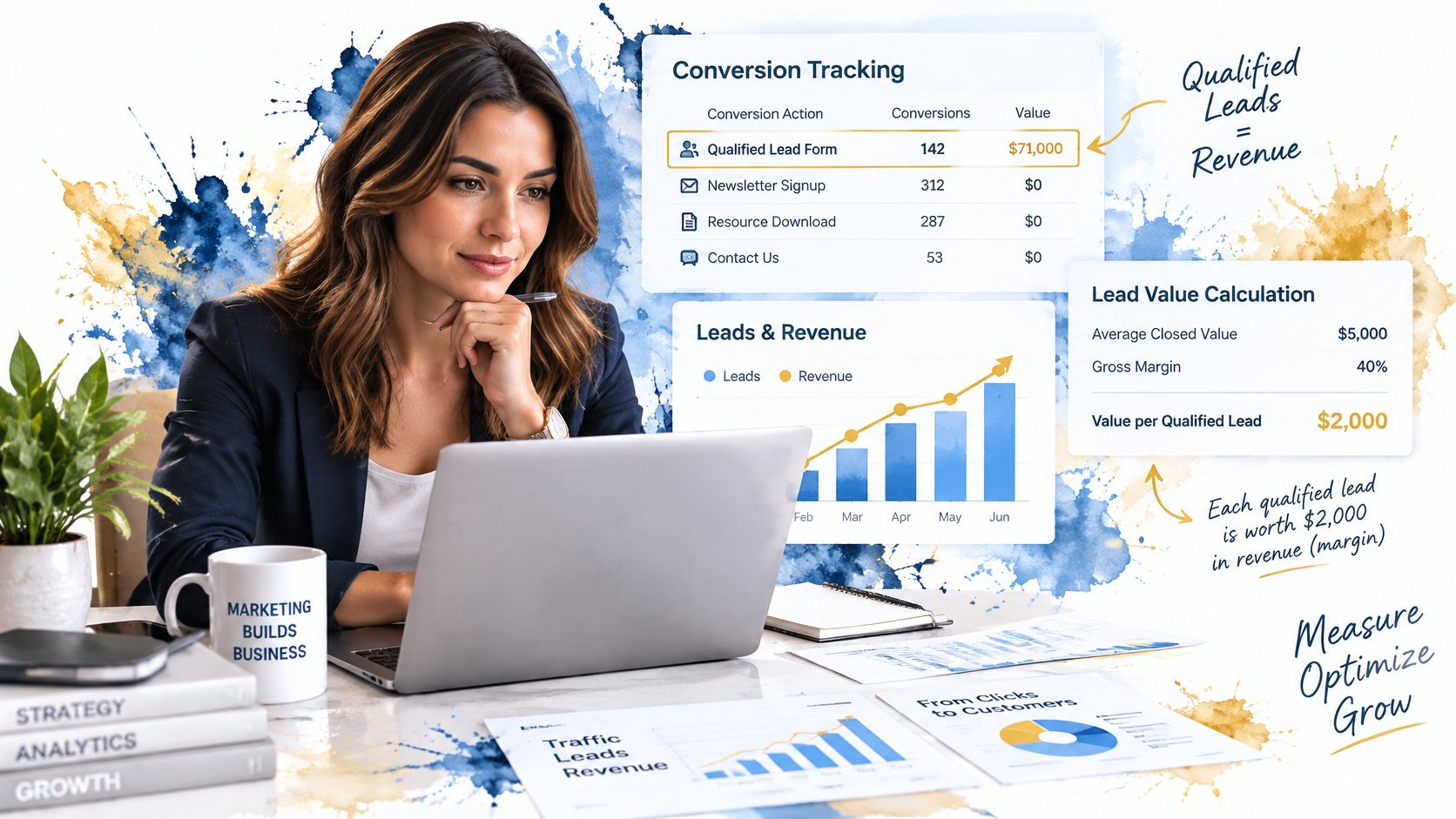
We test, measure, and optimize campaigns rather than guessing. The sequence below is the gate. Skip a step and the bid strategy will chase the wrong prize.
Name one primary conversion tied to revenue or a qualified lead. A form view is not that action. The common slip is marking every on-site event as primary so the system treats a bounce and a booked job as the same win.
Assign values from margin or average closed value. A tire-kicker form is not worth a booked job. Flat values teach the system that cheap inquiries and profitable ones are identical.
Confirm each tag fires once. Reload a thank-you page and watch the count. Duplicate fires inflate volume and make a weak campaign look efficient.
Reconcile platform conversions with CRM outcomes every month. Write down the gap. If the ad account says 40 leads and the CRM shows 18 real inquiries, you are bidding on fiction.
Import offline outcomes. Qualified leads, signed contracts, and closed sales teach bidding which inquiries become revenue. Counting the form submit alone rewards volume, not pipeline.
Turn on Consent Mode with the volume rule in mind. Google's Consent Mode guidance says modeled conversions need correct implementation and at least 700 ad clicks over seven days for each country and domain grouping. Below that, don't expect modeling to fill the hole. If you pass hashed first-party data, enhanced conversions recover matches that cookie loss would otherwise drop.
Mark micro-events as secondary. Calls under a set length can sit in reporting. They must not train bids. The slip is leaving "call started" as a bidding goal because it is easy to track.
Don't judge an unfinished window
Google's conversion-delay guidance says a conversion can be reported as long as 90 days after the click, depending on the window you set. Last week's numbers can look weak because people clicked and have not finished yet. Wait until most of the window has closed before you cut budget or declare a test dead.
If you can't say, in one sentence, which action the bidding system is paid to chase, the account is not ready for a bid change.
Picking a Bidding Strategy You Can Actually Judge
Smart Bidding sets the bid at each auction for conversions or conversion value. The strategy you can realistically judge depends on how many real conversions you already have, not on which option sounds most automated.
| Strategy | Conversions needed | Best for | Judge by |
|---|---|---|---|
| Maximize clicks | None | New accounts gathering data | Cost per click, short term only |
| Maximize conversions | 30 or more recommended | Lead volume with stable value | Cost per qualified outcome |
| Target CPA | 30 or more recommended | Qualified leads with consistent value | Qualified lead cost over the full lag window |
| Target ROAS | About 50 recommended | E-commerce with reliable order values | Margin-weighted ROAS |
| Maximize conversion value | 30 or more recommended | Varied order sizes | Revenue per click and margin |
Google's Smart Bidding thresholds say you should evaluate performance over periods with at least 30 conversions, and Target ROAS generally needs a higher bar of 50. A store doing a handful of orders a week is not ready for a return target. Stay on maximize conversion value, or keep gathering clean conversions, until that volume is real.
Maximize clicks needs no conversion history. Use it only while a new account collects queries. The moment you have qualified outcomes, cost per click stops being the score.
Maximize conversions fits when lead value is fairly stable and volume is the goal. Target CPA fits qualified leads whose value doesn't swing wildly, judged across the full lag window, not yesterday. Maximize conversion value fits mixed order sizes. Judge it on revenue per click and margin, not on the raw conversion count.
One change, then wait
Google's learning guidance says Smart Bidding campaigns typically need 7 to 14 days to stabilize, and frequent edits to budgets, target CPA or ROAS, or conversion goals can reset or prolong that period. Write the baseline before you touch anything. Make one material change. A target set too tight starves volume. A target set too loose buys cheap traffic that earns nothing.
Primary actions are eligible for bidding. Secondary actions are observation only. If short calls and page views sit in the bidding goal next to sales, the auction will hunt the cheapest event it can find.
Cleaning Search Queries and Reading Quality Score
Export the last 30 days of search terms. Sort by cost. Keep the rows with spend and zero conversions. That list is where budget leaks before any bid strategy can help.
Classify each query by intent.
- Buyer: ready to hire, book, or purchase. Keep these and write to them.
- Research: "how to," comparisons, definitions. Usually a negative on a lead campaign unless you sell the education.
- Job seeker: careers, salary, training. Negative them. They click and never buy.
- Competitor brand you can't win: exclude it unless you have a real offer against that name.
Add negatives at the match level that blocks the theme, not a single misspelling. Then rewrite the ad around the dominant buyer intent. The landing-page headline, offer, and form should repeat the query. A mismatch shows up as a weak conversion rate, not as a mystery in the auction.

Quality Score is a diagnostic
Google's Quality Score documentation describes a 1 to 10 estimate from expected click-through rate, ad relevance, and landing-page experience. Each component is below average, average, or above average versus other advertisers on that keyword over the prior 90 days. Google is explicit that the score is not an auction input and should not be averaged across the account.
Use it to find the weak component. Don't chase a higher number, and don't roll keywords into one account score. Our notes on Quality Score walk through reading those three components without turning the number into a KPI.
Ad Rank is calculated when an ad is eligible and again in the auction. Quality there reflects relevance, usefulness, expected experience, and whether the ad and the page agree. Raising the bid does not fix a weak page or a mismatched headline.
Auction Insights separates lost impression share from budget and lost share from rank. A higher position does not automatically mean better economics. Judge every query and copy change by conversion rate, cost per qualified lead, and profit per click.
Running Shopping, Display, Video and Performance Max Checks
Feeds, placements, views, and automated asset groups hide spend a search-term report never shows. Run one sequence per type, in that order. I would not raise a budget until those conversions still look like qualified leads after a CRM check. Platform credit is not margin, and AI placements make the path harder to see.
Shopping
Check titles, GTINs, prices, and availability before any bid change. A wrong price or an out-of-stock row still spends.
Split the catalog by contribution-margin tier, not by units sold. Set each tier's return target from margin left after product cost.
A best-selling accessory that clears only a thin margin can look fine on blended return while it eats budget a higher-margin line needs. Cap that tier or pull the row until the feed price matches what the buyer pays. Feed fixes are in our Google Shopping optimization notes.
Display
Open the placement report and sort by cost. Match the expensive rows to qualified leads in the CRM, not to a click or a soft platform conversion.
A free mobile game near the top of spend, with clicks and no opportunities downstream, goes on the account exclusion list before the next campaign buys it again.
Video
Put view-through conversions beside site visits and qualified leads. Judge cost per conversion inside the lag window, and treat the view total as reach only.
A pre-roll flight can post a large view count while sessions in that same window stay near zero. Narrow who can see it, or stop the flight. Do not buy another one on views.
Performance Max
Read asset-group insights and search themes before you add budget. Where brand exclusions are available, apply them when themes are mostly demand the account already owns. Keep a non-brand theme only when qualified-lead cost and margin still hold after the CRM check.
Themes that are almost entirely the brand name get excluded. A theme with conversions in the ad platform and no matching CRM opportunities stays off any budget increase.
Close each review on one line: primary conversion, value rule, exclusions in force. If the CRM does not recognize those conversions, leave the budget alone.
Testing Creative and Audiences Without Burning Budget
Change one variable. A headline angle, an offer, a call to action, or an audience. Two changes at once give you a winner you can't explain, and the next test starts from a guess.
Record the baseline before the test starts: qualified leads, cost per qualified lead, and profit per click for that ad group. Give the test enough conversions to read. A few days of clicks is not a result. Declaring a winner on a long weekend is how accounts thrash.
For responsive ads, supply a full set of headlines and descriptions, each carrying one clear benefit. Then read asset performance. Don't swap lines because a combination "feels" stronger.
Audiences as signals, not walls
- Customer lists and site visitors guide broad campaigns toward people who already look like buyers.
- In-market segments are a hint, not a fence. They help the system, they don't replace the query.
- Existing customers come off acquisition campaigns. Otherwise new-customer budget pays for people who would have bought again anyway.
Match the ad group to a landing page whose first headline repeats the ad's promise. If the ad says same-week install and the page opens with a company story, the test is already lost. Our creative strategy notes cover how that promise should be built before it ever hits an ad group.
Keep a test log with the hypothesis, the start date, the metric, and the decision. The next change should build on that line, not on memory.
Measuring Profit When Placements Blur Together
A clean campaign CPA is not a profit number when Search and AI-generated results share one column. Google's reporting on ads in AI experiences does not currently break out ads shown inside AI Overviews. Traditional Search and those AI-generated results can sit in the same totals. The blend can look efficient while the queries that close are a smaller slice of the spend.
Through 2025, AI Overview visibility climbed, then pulled back, and ads sitting alongside those results became far more common than they were at the start of the year. Your settings can stay still while the monthly report moves under them. Margin stays honest only if you separate what the platform counted from what the business collected.

I judge a campaign on qualified leads and profit after the click, not on the conversion the interface credits. Compare a window old enough for conversions to mature with the period before the placement mix shifted. Last seven days will flatter a bid that has not paid yet. Split branded from nonbranded so you can see whether automation is harvesting names you already rank for. When you need incrementality rather than platform-reported conversions, use a geographic holdout or an on-off test. Set CRM outcomes and landing-page engagement beside the conversion column. If the page bounces and the pipeline is empty, that reported conversion did not cover its cost.
Do not loosen match types just to refill volume. Broad match and keywordless automation can find demand. They can also hide which queries and which customer types pay. Signed contracts, booked appointments, and repeat purchases often happen offline. That is when you need more of your own measurement. Cross-channel attribution is how you keep those offline outcomes attached to the click that earned them.
Greater automation asks for stricter profit checks. Platform conversions are a lead, not a verdict.
Confirm Your Next Change Before You Spend
A bid change on immature data spends the next month defending a number that was never real. Pick the one campaign with the clearest warning from the audit table. Write the baseline, the single change, and the date you will judge it before you edit a setting.
Baseline means qualified leads, closed work, and margin. AI-driven placements make the earning impression harder to see, so a platform conversion is a weak judge of profit. One change means one lever. A new target plus a budget swing in the same week resets learning, and you lose the ability to say which edit moved revenue. Put the judgement date after the lag window has closed.
Run the gate before you spend. The lag window has closed on the data you are using. The learning period will not be reset by a budget swing or a new target in the same week. No other test is in flight. If any of those fail, wait.
The Advertising Suite pairs those decisions with its in-house CRM and review management software, so qualified leads and closed work can come back to the ads. Ad Suite Membership is $400 per year, members get a 25% discount on products and services, and you can reach us at info@advertisingsuite.com. Request a demo or book a growth consult to review the audit against a baseline you can defend.