You've probably been here before. The ad account is open, the budget is small, and the pressure is real because the last “marketing” spend produced plenty of activity and almost no revenue. How to post an ad on Facebook shouldn't start with guessing, it should start with a setup that lets you track what comes back.
The mistake most founders make is treating the publish button like the finish line. It isn't. On Facebook, the work is building a clean path from objective selection to audience control, creative compliance, and conversion tracking, because Meta's workflow is designed around measurement from the start, not after the money is gone [Facebook ads setup flow].
Prerequisites Before You Open Ads Manager
A profitable Facebook ad starts before the first campaign is built. If the account setup is sloppy, you can still spend money, but you'll have a hard time proving whether that spend produced leads, booked calls, or sales. Meta's ad flow starts with connecting a Facebook Page or Instagram business profile, then moving through objective, audience, placements, budget, format, and publish, with performance visible after launch in Ads Manager [Facebook ads setup flow].
Get the business assets in place
A clean setup starts with the right business identity attached to the ad account. You need a Facebook Business Page and access to an ad account before you can do anything useful, because that is the structure Meta uses to separate campaigns, ad sets, and ads [Ads Manager structure]. If you are still sorting out the account side, this Page setup guide covers the pieces that need to be in place before you try to launch.
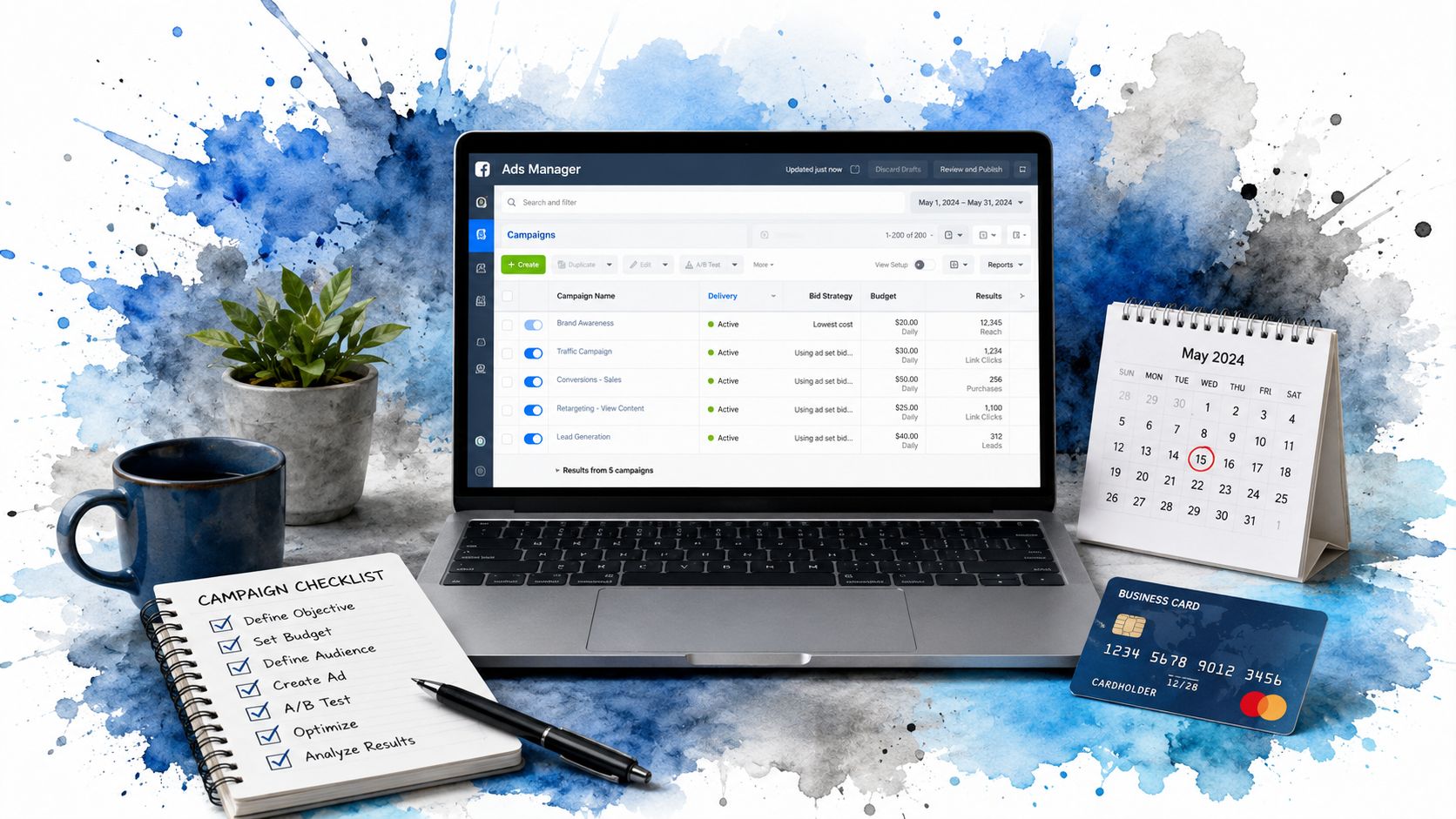
The reason this matters is practical. Meta organizes performance by campaign, ad set, and ad, so a weak foundation makes the reporting harder to trust, especially when you need to see which leads or purchases came from the spend [Ads Manager structure]. First-time advertisers often fixate on creative before they confirm who owns the Page, which ad account will pay for delivery, and where results will be recorded.
Practical rule: Do not click Create until you know who owns the Page, which ad account will pay for delivery, and where leads or purchases will be recorded.
Know when to use Business Suite and when to use Ads Manager
Meta Business Suite works for basic page operations and simple publishing tasks. Ads Manager is where campaign building, objective selection, budget control, placements, and performance review happen, which is why paid traffic should be managed there [Create Facebook ads from a Facebook Page].
Before you spend, verify three things.
- Page access is correct. The person launching ads should have the right role on the Page and ad account.
- Payment is ready. If billing fails later, delivery can stop at the worst possible time.
- Tracking is planned. If you want revenue, not just visibility, decide what counts as a lead or sale before the campaign goes live.
A campaign can look active and still tell you nothing about business impact. For e-commerce, lead gen, or booked consultations, the setup has to support the outcome you care about, and it has to be ready before the first impression is paid for.
Building Your Campaign and Choosing the Right Objective
Once the account is ready, the next decision sets the direction for everything that follows. In Ads Manager, you click Create, choose a campaign objective, then move into the ad set to set budget, schedule, audience, and placements before building the ad creative and publishing it.
Pick the objective that matches the business outcome
A campaign objective tells Meta what to optimize for. Ads Manager is organized around campaign, ad set, and ad level reporting, so the objective you choose affects which results the system tries to find and which numbers you later use to judge performance [Ads Manager structure]. Choosing it casually gets expensive because the platform will optimize toward the goal you hand it, not the goal you wish you had chosen.
If you want sales, choose the path that gives the system a sales signal. If you want leads, use the path that supports lead capture. If your business cares about awareness first, say that clearly, because awareness is not the same thing as demand generation. Many weak accounts are optimized for the wrong outcome, then judged on metrics that never had a chance to turn into revenue.
Set the ad set with intent, not habit
The ad set is where budget, schedule, audience, and placements live. That means it is not a form to rush through, it is where spend gets controlled and where bad assumptions become costly.
A few decisions matter more than the rest:
- Budget type. Daily budgets are easier to manage when you are testing and making adjustments.
- Schedule. Keep the run window tied to a real reason, not a vague launch habit.
- Audience. Build it from the business model and buying signals, then refine it with audience segmentation instead of relying on gut feel.
- Placements. Match the placement choice to the format and the offer, so the ad shows up where it can drive action.
Spend can look active while doing nothing for revenue. That happens when the campaign is built around busy-looking activity instead of a clean conversion path.
For SMBs, the cleanest setup is one business goal, one conversion event, and one budget plan you can explain without opening a spreadsheet. If the campaign takes too long to describe, it usually has too many moving parts to read clearly once the spend starts.
Audience Targeting and Placement Strategy for Real Conversions
Generic targeting is where ad budgets go to die. Meta's local business tools support radius targeting around a business location, and local-ads guidance also points to pin-drop targeting, zip-code exclusions, zone-based ad sets, and creative that names neighborhoods or landmarks when geography matters [Local audience targeting guidance]. If you serve a real area, don't pay to show ads everywhere.
Build audiences around buying intent
A good audience isn't just “people who might like this.” It's a group built from signals that connect to action. That usually means website visitors, customer lists, and other high-intent data sources that tell Meta who's already closer to converting.
For service businesses, the service area needs discipline. A single broad audience can spend on people you'll never serve, and that's the kind of waste founders notice too late. Use geographic testing deliberately, compare zones separately, and watch which areas produce calls, forms, chats, or bookings.
For ecommerce, audience structure should still reflect behavior. A cold audience, a retargeting audience, and a customer-based audience usually need different messages, because the same ad rarely works at every level of intent. If you cram all of that into one ad set, the signal gets muddy fast.
Choose placements based on the job the ad has to do
Meta's setup flow lets ads run across Facebook, Instagram, Messenger, Audience Network, or multiple placements at once [Facebook ads setup flow]. That flexibility is useful, but it doesn't mean every placement deserves equal weight.
Use automatic placements when you want Meta to find efficient delivery across the network. Use manual placements when the creative or offer clearly fits certain surfaces better. The point is not to be everywhere, the point is to be visible where the offer can convert.
Practical rule: If the ad's value depends on location, route the budget through the zones that can buy from you, not the zones that can only click.
For local campaigns, keep the geography tight enough to stay relevant but broad enough to leave room for learning. For product campaigns, the creative should match the placement, because a vertical, fast-scrolling environment punishes lazy visuals.
Creative Specs and Copy That Passes Review
Strong targeting still fails if the creative cannot carry the offer. Meta's placement specs set a primary text limit of 125 characters, a headline limit of 40 characters, and a description limit of 30 characters for many placements, so ads that ignore those limits can get cut off even when they are otherwise valid [Facebook ad creative specs]. If the hook gets truncated, the message weakens before the audience has a chance to care. For founders spending against a real service area, that matters. You are not buying impressions for applause, you are trying to earn calls, forms, chats, or bookings from people who can buy.
Write for the space you have
Short copy forces discipline. That helps. The first line should say what is being offered, who it is for, and why the reader should keep going.
Use this structure:
- Lead with the outcome. Say what the person gets.
- Add the qualifier. Make the audience fit clear.
- Close with the action. Tell them what to do next.
For local services, keep the offer specific and calm, and tie it to the area you can serve. For ecommerce, anchor the message to the product and the reason to buy now. For retargeting, use copy that assumes familiarity and removes friction instead of reintroducing the whole brand. A clear example helps here, and this ad copy example shows the kind of simple structure that usually holds up in review and in the feed.
Stay inside policy and format limits
Meta's policy guidance prohibits low-quality or disruptive content, including images with more than 20% text, plus nonfunctional landing pages and automatic audio or flash animation without user interaction [Facebook and Instagram Advertising Guidelines]. These are the kinds of problems that can sink an otherwise decent campaign before delivery has a chance to settle.
A clean ad creative checklist looks like this:
| Facebook Ad Creative Specifications | ||
|---|---|---|
| Element | Character Limit | Notes |
| Primary text | 125 characters | Keep the hook tight so it does not truncate. |
| Headline | 40 characters | Make the offer readable at a glance. |
| Description | 30 characters | Use it for support, not clutter. |
If the ad needs to support a local offer, make sure the copy matches the service area and the landing page matches the promise. That keeps waste down, because people outside your buying zone can click without ever becoming revenue. For product ads, the visual has to do the heavy lifting fast, especially in feed placements where people scroll quickly. Fancy language does not repair a vague offer, and clutter usually hurts more than it helps.
Pixel Setup and Conversion Tracking for Revenue Attribution
Publishing without tracking is like opening a store with no cash register. The ad may go live, but you still will not know what sold, what stalled, or what deserves more budget. Meta's workflow is set up so you can review performance after launch, but that only helps if the campaign is connected to the right conversion events from the start.
Install tracking before you scale
The technical move that matters most is connecting your site and ad account to conversion data before you spend heavily. A proper setup usually includes the Meta Pixel, event configuration for actions like purchases or leads, and a check that the events fire correctly before you increase budget.
For websites, that means tracking the actions that matter to the business:
- Purchases for ecommerce.
- Lead form submissions for service businesses.
- Phone calls when the phone closes business.
- Booking completions when appointments drive revenue.
If you use a CRM, connect the ad click to the lead and then to the sale. That closed loop is what turns ad spend from a guess into something you can manage with actual revenue data.
Use tracking to attribute revenue, not applause
The point of conversion tracking is not to collect more data for its own sake. It is to see which ad, audience, and placement led to business results. Without that, a campaign can look efficient because it gets clicks, while the sales team tells a different story.
If browser-based tracking is incomplete, the Conversions API gives you a stronger reporting path because it helps preserve event measurement when cookie-based tracking gets shaky. For offline and CRM-side activity, this offline conversion tracking guide is the right place to map how a lead becomes a sale.
Practical rule: If you cannot tie an ad to a booked job, a completed checkout, or a qualified lead, you are still buying attention, not revenue.
For SMBs, the best setup answers one question after launch, which ad generated the revenue, and which one only created noise. That distinction matters even more for local service-area campaigns, where a weak tracking setup can make out-of-area clicks look valuable and hide the cost of wasted spend.
Post-Launch Optimization and Common Mistakes to Avoid
The publish button is the start of the review work. Once the campaign is live, the job is to read performance like someone responsible for revenue, not just traffic. Meta's Ads Manager organizes reporting by campaign, ad set, and ad level, with metrics like people reached, clicks, and spend available for review. That structure is only useful if you look at the account before you start changing things at random.
Read the account like a buyer, not like a tourist
A lot of accounts get touched too early. The ad has not had time to show a pattern, but someone already changes the headline, swaps the image, and resets the learning. That kind of panic usually costs more than it saves.
Focus on the signal that ties back to revenue. If the campaign is getting attention but not conversions, the issue could be the offer, the audience, the landing page, or the tracking. One visible metric rarely tells the full story, especially if the goal is booked jobs, qualified calls, or completed purchases. For a tighter way to think about return on spend, this ROAS guide is a useful reference for scaling winners without feeding waste.
Avoid the mistakes that drain budget
The most common traps are ordinary, which is why they keep showing up:
- Editing too early. Give the campaign time to show a pattern.
- Duplicating the same audience. Overlap makes performance harder to read.
- Ignoring delivery issues. If the ad is not serving, no amount of small tweaks will fix it.
- Chasing clicks instead of conversions. Traffic alone does not pay the bills.
If an ad gets stuck in review, check policy issues, page access, and creative compliance before making random changes. If delivery drops suddenly, look at audience overlap, creative fatigue, and whether the conversion event still fires correctly. For local service businesses, the biggest waste often comes from paying for impressions outside the service area, so keep location settings tight and confirm the lead path still matches the market you can serve.
The strongest accounts are usually the ones with a simple review cadence and a clear owner, not the ones with the fanciest dashboard. When tracking is connected to CRM follow-up and the service area is set with precision, you can tell whether spend is buying revenue or just noise.