Sales teams often respond fast. Service teams often inherit chaos. That gap is where revenue leaks.
A CRM for service businesses should do more than track leads. It should connect ad response, booking, scheduling, job progress, follow-up, and review collection in one operating system. If it stops at the pipeline, it leaves money on the table.
You can see the split in real businesses. One company pays for clicks, gets inquiries, and treats the handoff to operations like an afterthought. Leads sit. Context gets lost. Reviews never get requested. Another company ties every inquiry to the next action, routes it to the right person, tracks the job through delivery, and turns completed work into repeat business and new referrals.
That difference matters more than owners think.
The overlooked problem in CRM selection is that many service businesses buy for sales visibility and ignore service delivery workflow. That is a mistake. Revenue does not come from a neat pipeline alone. Revenue comes from a system that connects omni-channel ads, conversion rate optimization, follow-up automation, and review management to the actual work your team delivers.
The Advertising Suite stands out when it closes that gap. It does not just help you see leads. It helps you turn demand into booked jobs, completed service, stronger reviews, and more revenue from the same marketing spend.
Introduction
A service business without a CRM usually runs on memory, inboxes, sticky notes, and crossed fingers.
A lead comes in through a form. Someone calls back from a personal phone. The office manager adds a note in a spreadsheet. A tech gets partial job details by text. The customer replies to an old email thread nobody else can see. Then the owner wonders why appointments get missed, why quotes sit untouched, and why ad spend feels expensive.
That mess gets even worse when demand grows. You don't just lose visibility. You lose speed, context, and trust. Those are expensive things to lose in a business where buyers often choose the first team that responds clearly and follows through.
A proper CRM for service businesses fixes the handoff problem. It gives your team one place to track the lead, the booking, the work, the communication, and the follow-up. That's the payoff. You stop treating marketing, sales, and delivery like separate planets and start running them like one revenue system.
Understanding the Key Concepts
“CRM” typically brings to mind a sales pipeline. That's too narrow for a service business.
A real CRM for service businesses should work like a central command center. It should hold the client record, communication history, service status, internal notes, files, task ownership, and next action in one place. If your team has to jump between inboxes, spreadsheets, chat threads, and calendars to understand one customer, your system is broken.
Sales CRM versus service CRM
This is the gap most owners feel but can't quite name.
A sales-focused CRM is built to answer questions like:
- What stage is the deal in
- Who owns the lead
- When is the next sales follow-up
A service-focused CRM has to answer a tougher set of questions:
- Has onboarding been completed
- What was promised to the client
- Who is delivering the work and when
- What happened in the last interaction
- What needs to happen after the job is done
That difference matters because 90% of service providers need a unified system to integrate onboarding, service execution, and client communication into one platform, according to this analysis of CRM gaps in service workflows.
If that sounds obvious, good. It should be. Yet plenty of businesses still buy software that tracks the sale but drops the ball once delivery begins.
What a unified record actually does
The best way to think about it is simple. Your CRM shouldn't just remember who the customer is. It should remember what's happening with them right now.
That means each record needs more than contact info. It needs operational context.
For example:
- Lead history: Where the inquiry came from and what the customer asked for
- Delivery context: Job details, onboarding status, documents, assigned team member
- Retention signals: Follow-up tasks, unresolved issues, review requests, renewal notes
If you want a model for connected records, study how unified customer profiles create continuity from first click to repeat purchase.
A CRM for service businesses should reduce handoff friction first. Reporting comes second.
Essential Features You Need
Feature lists get bloated fast. Ignore the shiny extras. Start with the features that protect revenue.

CRM use can boost lead conversions by up to 300% for service businesses when the system centralizes data, automates follow-ups, and gives teams a full view of customer interactions, based on CRM conversion statistics here. That kind of lift doesn't come from having more tabs open. It comes from having the right workflows built in.
The non-negotiables
Lead and appointment tracking
Every inquiry needs an owner, a status, and a next step. If your team can't see which leads are new, contacted, booked, rescheduled, won, or lost, you're leaking revenue.Two-way communication history
Email, SMS, calls, and chat should live in the same record. Service teams lose deals and damage trust when customers have to repeat themselves.Scheduling and reminders
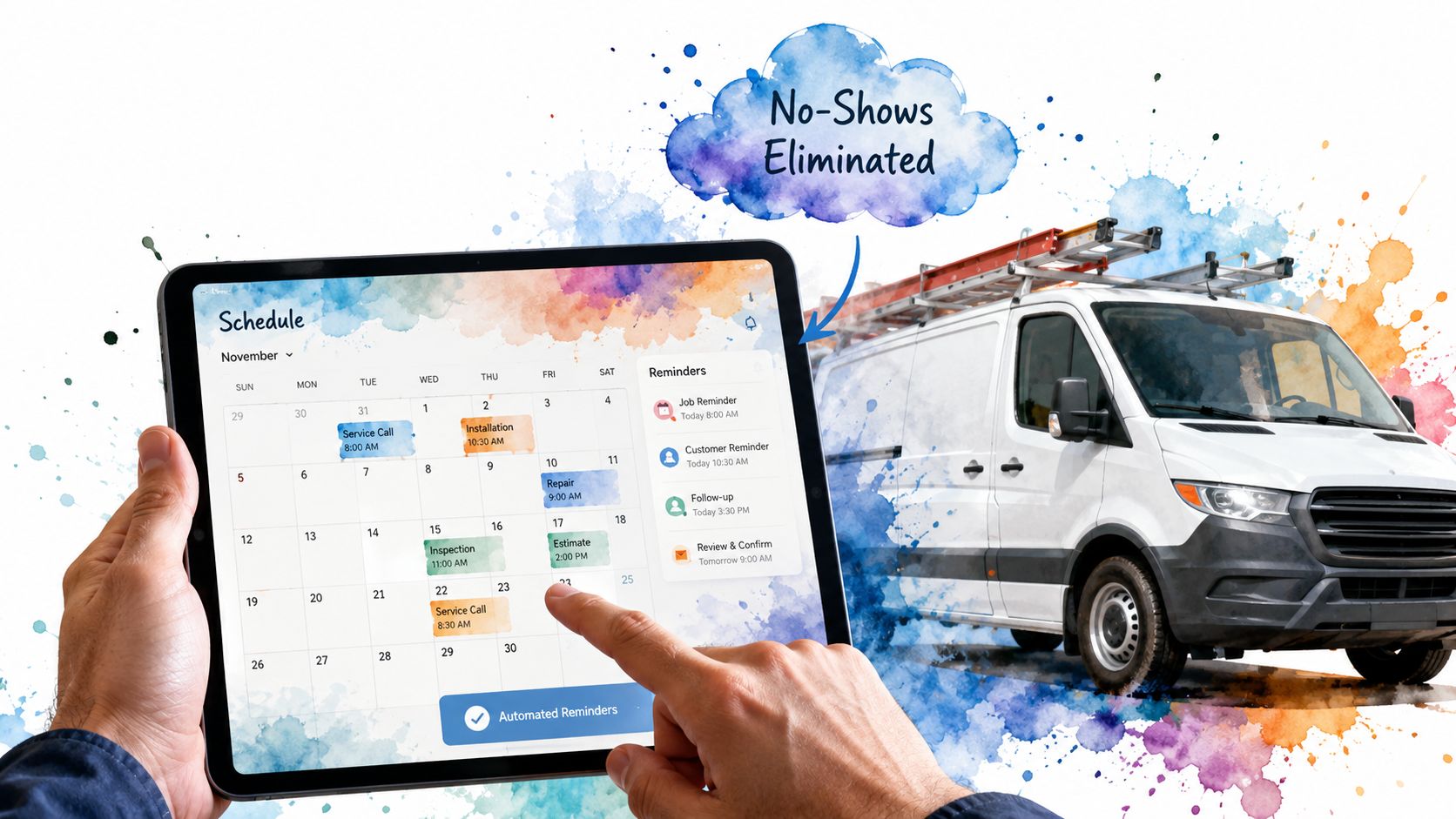
A CRM should reduce no-shows and confusion by tying appointments to customer records and triggering reminders automatically.Task and follow-up automation
After a quote, missed call, completed service, or inbound form, the next action should be assigned automatically. Manual follow-up is where good leads go to die.
The features that separate decent from useful
A good CRM captures demand. A useful one supports delivery.
Look for systems that can handle:
- Onboarding workflows: Intake forms, document collection, welcome steps, internal checklists
- Job or project tracking: Status updates, notes, files, assigned staff, completion checkpoints
- Invoicing triggers: Clear handoff from completed work to billing
- Review management: Requests sent after successful service moments, not randomly weeks later
Practical rule: If the CRM can't support what happens after the customer says yes, it's a sales tool wearing a service costume.
What connects marketing to revenue
Many businesses remain stuck when they run ads, get leads, and then fail to connect campaign activity to booked jobs and repeat customers.
A strong setup should connect:
- Ad source to lead record
- Lead record to booked appointment
- Completed job to review request and retention workflow
That loop is what turns marketing into a profit center instead of a monthly mystery. If you want to understand how that handoff works operationally, review a clear marketing automation workflow and map it to your own customer journey.
How to Choose the Right CRM
Most owners shop for CRM the wrong way. They start with demos, pricing pages, and feature grids.
Start with your process instead.
90% of service providers prioritize ease of use and scalability, but most guides skip process mapping before testing CRM fit, which leads to poor adoption and wasted spend, as discussed in this process-first CRM selection analysis.
Audit your workflow before you shop
Write down how work moves through your business.
Not how you think it works. How it really works.
Track the path from:
- Lead capture through first response
- Qualification through booking
- Delivery through completion
- Follow-up through repeat business or renewal
If you can't map those stages clearly, you're not ready to choose software. You're still diagnosing operations.
Judge fit by friction
A CRM is right for your business if it reduces friction in the places where your team currently stalls.
Ask blunt questions:
- Can the office team find the full client history without asking around
- Can field or delivery staff update status without breaking the process
- Can a new team member learn the system fast
- Can the workflow still make sense when your team grows
Don't get distracted by advanced features you won't configure. If the basics are clunky, the fancy layer won't save you.
Use this decision filter
Here's the short version.
| Evaluation area | What to check |
|---|---|
| Ease of use | Can your actual team use it daily without workarounds |
| Workflow fit | Does it match your intake, delivery, and follow-up flow |
| Visibility | Can everyone see the same client context |
| Scalability | Will it still work when more staff and more jobs are added |
| Customization | Can you adapt fields, stages, and automations without chaos |
A helpful way to frame this is as part of your broader marketing technology stack. Your CRM shouldn't sit off to the side. It should connect operations, communication, and revenue tracking.
Choose the CRM your team will actually use, not the one that looks smartest in a demo.
Implementation and Migration Checklist
Migration fails when owners rush the setup and dump dirty data into a new system.
That's not implementation. That's relocation of chaos.
The technical standard matters too. Contact records must load in under 2 seconds to maintain lead handling velocity, and the supporting architecture often relies on PostgreSQL, Prisma ORM, and a React front end for real-time synchronization, according to this CRM performance guidance. Slow systems kill follow-up speed, and service businesses can't afford that.
Clean the data before you move anything
Start with your current mess. Export contacts, leads, clients, notes, appointment lists, and any custom fields you've been keeping elsewhere.
Then clean it.
- Remove duplicates: One customer should not exist in five slightly different versions
- Fix missing essentials: Names, phone numbers, emails, service addresses, owners
- Standardize fields: Decide how statuses, tags, and dates should be formatted
- Archive junk: Old records with no business value shouldn't clutter the new system
Build the workflow before training the team
Don't onboard your team into an empty shell. Configure the business logic first.
That includes:
- Pipeline or stage setup based on your actual service flow
- User roles and permissions so people see what they need
- Task automations tied to key triggers
- Templates for messages, reminders, notes, and handoffs
- Communication channel connections for email, SMS, and call logging
If ad reporting matters to you, this is also the right stage to connect campaign outcomes to CRM activity through offline conversion tracking. Otherwise, you'll keep judging marketing by leads alone instead of by closed revenue.
Test the system like a skeptic
Before full rollout, run real scenarios through the CRM.
Create sample records and check:
- A new lead comes in
- A booking gets rescheduled
- A service task gets completed
- A follow-up and review request get triggered
- An invoice handoff happens cleanly
Look for delays, broken automations, confusing fields, and duplicate notifications. Fix them before the team relies on the system.
If your CRM can't survive a reschedule, a no-answer follow-up, and a last-minute handoff, it isn't production-ready.
Roll out in phases
Don't migrate everything on a Friday and hope for the best.
Use a staged rollout:
- Phase one: Core contacts, lead handling, and visibility
- Phase two: Scheduling, delivery workflows, and communication syncing
- Phase three: Reporting, retention, and reputation workflows
That order keeps the team productive while the system matures.
Measuring ROI and Tracking Performance
Companies that treat CRM as a contact database miss the point. In a service business, the return shows up when more leads book, more booked jobs get delivered without friction, and more completed jobs turn into repeat revenue and reviews.
That gap between pipeline and delivery is where owners lose money.
A sales-stage win means very little if the handoff breaks, the job gets delayed, the follow-up never goes out, or the customer leaves without a review. The right CRM closes that gap. The Advertising Suite's approach matters here because it ties ad source data, conversion rate optimization, service follow-up, and automated review requests into one revenue system instead of four disconnected activities.
Measure the handoff, not just the close
If you only track leads and closed deals, you will overstate performance. Service businesses need visibility across the full path from first inquiry to completed work and retained customer.
Track metrics such as:
- Lead-to-booking rate
- Time to first response
- Estimate-to-close rate
- Time from sale to scheduled service
- Service completion rate
- Follow-up completion rate
- Review request rate and review volume
- Repeat booking rate
- Revenue by lead source
Those numbers show whether your CRM is helping your team sell profitably and deliver consistently.
Set a baseline before you judge ROI
Measure 60 to 90 days before rollout. Then compare that period against the 60 to 90 days after the team is using the system correctly.
Use a simple scorecard.
| Metric | Before CRM | After CRM | Change |
|---|---|---|---|
| Lead-to-booking rate | |||
| Average response time | |||
| No-show or drop-off rate | |||
| Service completion rate | |||
| Review request rate | |||
| Repeat booking rate | |||
| Revenue per lead source |
This gives you a cleaner read than vanity reports. It also forces accountability. If lead volume is up but completion and retention are flat, your CRM setup still has an operations problem.
Build one dashboard tied to revenue
Your dashboard should answer three questions fast:
- Which channels produce booked and completed jobs
- Where does work stall between sale and delivery
- Which customers come back, refer, or leave reviews
That reporting structure is what turns a CRM into a growth tool. It also helps you stop judging ads by form fills alone. If search ads generate higher-value jobs that complete on time and produce more reviews, that channel is worth more than a cheaper lead source that clogs your calendar and disappears after one visit.
For a stronger reporting model, connect CRM data to your process for measuring marketing ROI across booked jobs and closed revenue. That is how you see what your marketing produces after the sale, not just before it.
A CRM earns its keep when it connects lead source, service delivery, and retention in one view. That is where revenue gets clearer and easier to improve.
Real-World Use Cases and Workflows
The best proof of a CRM isn't a feature sheet. It's whether daily work gets cleaner and more profitable.

HVAC franchise workflow
An HVAC location runs ads across search and social. Leads enter the CRM with source data attached. The office team sees new inquiries immediately, books estimates, and logs every call and text inside the customer record.
Once the job is sold, the workflow doesn't stop. The same record moves into scheduling, service notes, follow-up reminders, and post-job review requests. That closes the loop between marketing, operations, and reputation.
Legal intake workflow
A legal practice needs speed and context. Intake requests come in from forms, calls, and referrals. The CRM routes each inquiry, stores communication history, and tracks which documents or consultations are still pending.
That matters because legal clients don't care which staff member last spoke with them. They care that the firm remembers their issue, responds clearly, and doesn't lose the thread. A connected CRM keeps intake from becoming an administrative black hole.
Medical follow-up workflow
A clinic needs precision. Missed follow-ups and fragmented communication create operational risk fast.
In a proper setup, the CRM logs patient communication, tracks status, assigns tasks, and triggers the next action after a visit. That could be a reminder, a rebooking prompt, or a satisfaction check. The point is consistency. Patients experience one connected practice instead of a pile of disconnected departments.
What these workflows have in common
Different service models. Same rule.
They all need one system that can:
- Capture demand from multiple channels
- Keep delivery teams aligned on the same customer context
- Trigger reputation and retention actions after service
That's the overlooked gap in most CRM buying advice. Owners are told to manage leads better. Fair enough. But service businesses also need to manage what happens after the lead becomes a customer. That's where repeat revenue, referrals, and reputation are won.
Conclusion and Next Steps
A CRM for service businesses shouldn't be treated like office software. It's a revenue system.
Choose one that supports the full customer journey, not just the sale. Build it around your real workflow, not a generic demo. Implement it with clean data, clear automation, and measurable reporting. Then judge it by revenue impact, delivery consistency, and retained customers, not by how pretty the dashboard looks.
If you're still running your business through inboxes, spreadsheets, and tribal knowledge, that's the bottleneck. Not the market. Not the leads. Not the team.
The businesses that grow cleanly are the ones that connect marketing, operations, and customer experience into one system and run it with discipline.
If you want a growth-focused partner that treats CRM, ads, CRO, and reputation management as one revenue engine, take a look at The Advertising Suite. You can Request a Demo to see the platform in action, or Explore the Membership to access the proprietary CRM and a 25% discount on all services. More than 10,000 satisfied customers have already moved away from vanity metrics and into a results-first framework. If you're ready for a team that works like an extension of your business, this is a smart next step.