You're probably in one of two situations right now.
Either your team is managing leads and clients across spreadsheets, inboxes, texts, and memory, or you already bought software and still can't tie marketing activity to actual revenue. Both are expensive. One just looks cheaper on the surface.
Agency-burned founders usually don't need another feature parade. You need a system that tells you three things without drama: where leads came from, who followed up, and what turned into cash. If your current setup can't answer that cleanly, it isn't a system. It's admin theater.
Why Your Spreadsheets Are Costing You Revenue
A spreadsheet feels harmless because it's familiar. It also hides the exact problem that kills growth: manual follow-up breaks under pressure.
A lead comes in after hours. Someone sees it, plans to reply in the morning, gets pulled into delivery, and the follow-up slips. Then the same business owner says lead quality is the issue. Usually, it's not. The issue is that there was no operating system for the relationship after the click.

Manual tracking creates invisible revenue leaks
Spreadsheets don't enforce process. They depend on discipline, memory, and clean handoffs. That works until you get busy, which is exactly when your pipeline matters most.
Cost shows up in places founders often underestimate:
- Missed follow-ups: A warm inquiry goes cold because nobody owned the next action.
- Broken attribution: You spend on ads but can't tell which campaigns produced booked work.
- Messy handoffs: Sales promises one thing, operations delivers another, and trust takes the hit.
If you're trying to improve close rate, retention, or response speed, a spreadsheet won't save you. A spreadsheet stores rows. It doesn't run a business.
Practical rule: If a lead can enter your business without triggering a next step, you don't have lead management. You have hope.
This isn't a trend. It's an operating shift
Businesses aren't adopting client management software because it's fashionable. They're doing it because scattered client data and disconnected workflows make revenue harder to protect.
The market reflects that shift. The client management tools market was valued at $28.6 billion in 2025 and is projected to reach $74.3 billion by 2034, growing at a 11.2% CAGR, according to DataIntelo's client management tools market report. That growth tells you something simple: serious operators are replacing manual tracking with data-driven customer systems.
If you're still managing lead stages manually, start by fixing your sales pipeline management process. Not because it's cleaner. Because it protects revenue.
Moving Beyond a Digital Rolodex
A lot of founders hear “client management software” and picture a pricey contact list with a login screen. That's the wrong model.
A contact database is storage. Client management software is coordination. It acts more like a central nervous system than a digital Rolodex. It connects what marketing promised, what sales heard, what support resolved, and what finance billed.

It should capture every meaningful signal
The first job is simple. Nothing gets lost.
That means the system should log inquiries, conversations, notes, tasks, and deal movement in one place. If a prospect fills out a form, calls your office, replies to an email, and later becomes a customer, the record should stay intact the whole way through.
Many businesses often fail. They think they have client data, but they really have fragments.
A functioning setup should connect:
- Lead source data so you know which campaigns create qualified demand
- Conversation history so the next person doesn't ask the same questions again
- Status visibility so every team member sees the same reality
For businesses that want cleaner retention and handoffs, unified customer profiles matter more than another dashboard widget.
It should nurture relationships without making your team robotic
Good software doesn't replace human follow-up. It makes sure human follow-up occurs.
That includes reminders, task assignments, staged communication, and lifecycle triggers that keep the relationship moving. The point isn't to automate everything. The point is to automate the repetitive parts so your team can focus on judgment, timing, and service.
Here's the difference in plain terms:
| Weak setup | Strong setup |
|---|---|
| Contacts sit in a list | Contacts move through a process |
| Follow-up depends on memory | Follow-up is triggered and tracked |
| Teams work from separate notes | Teams share one client record |
It should measure what leads to revenue
Most software pitches get slippery. They obsess over features and ignore financial clarity.
You don't need more charts. You need software that helps answer practical questions:
- Which lead sources become paying clients?
- Which stages stall most often?
- Which clients are growing, renewing, or slipping?
A system that can't connect activity to outcomes becomes another monthly bill with a nice interface.
That's why the best client management software isn't just a place to store names. It becomes the control layer between your marketing, sales, service, and retention.
Must-Have Features That Actually Impact Your Bottom Line
Most feature lists are junk food. They're long, shiny, and not especially useful.
What matters is whether a feature helps you capture demand, close business, or retain clients. If it doesn't affect one of those three, it's probably a nice extra, not a buying reason.
Unified records stop expensive guessing
When client information lives in multiple places, your team wastes time confirming basics, re-asking questions, and patching together context before every call. That delay doesn't just annoy staff. It weakens conversion and service.
A strong platform gives every client one clean record with contact details, conversation history, open tasks, deal status, and service notes. That reduces friction at the exact moments where businesses usually lose trust.
Look for software that makes these actions effortless:
- See the full relationship: Sales, support, and leadership should all work from one record.
- Track next steps clearly: Every lead and client should have an owner and a visible action.
- Keep records current: Updates should happen inside the workflow, not in a forgotten admin session as an afterthought.
Automated follow-up protects the money you already spent
If you're paying for traffic, referrals, local search, or outbound attention, the follow-up sequence is not an accessory. It's part of the acquisition cost.
One of the most practical requirements for service-based businesses is speed. Real-time notifications and automated lead follow-up systems in client management software are critical for high-intent local businesses because they keep teams informed about leads and inquiries while tracking all communication in a centralized location to support informed, preference-based responses, as outlined in this analysis of high-intent lead response features.
That matters because high-intent leads don't stay high-intent forever.
A useful system should trigger:
- Immediate alerts when a lead comes in
- Task creation so ownership is obvious
- Consistent follow-up sequences that keep opportunities from fading away
If your business depends on response speed, your marketing automation workflow isn't separate from revenue operations. It is revenue operations.
Fast follow-up wins because buyers usually choose the business that responds with clarity first.
Visual pipelines expose bottlenecks
A lot of founders think they need more leads. Many need a better view of where deals stall.
A visual pipeline matters because it forces honesty. You can see whether opportunities are piling up at inquiry, estimate, consult, proposal, onboarding, or renewal. That gives you something useful to fix.
Here's what a revenue-focused pipeline should reveal:
- Volume by stage so you can spot congestion.
- Aging deals so stalled opportunities don't rot in silence.
- Handoff points so operations knows what sales committed to.
Reporting should answer operator questions
You don't need a report for every click. You need a reporting layer that helps make decisions.
Good reporting tells you where to spend more, where to tighten process, and which client segments deserve more attention. Bad reporting gives you colorful activity summaries with no commercial meaning.
If the software can't help you make better revenue decisions, it's not helping. It's decorating.
How to Connect Software Without Creating Chaos
The mistake isn't integration. The mistake is integrating too many things without a workflow plan.
Founders often bolt together forms, calendars, invoicing, messaging, and campaign systems one by one. Then they wonder why the team still retypes information, duplicates notes, and argues over which record is current. More connections don't automatically create more clarity.
Phase one cleans the data
Before you connect anything, clean the mess.
Remove duplicate contacts. Standardize basic fields. Decide how your team will name stages, statuses, and owners. If one person marks a lead as “proposal sent” and another uses “estimate delivered,” reporting gets muddy fast.
Start with a short checklist:
- Merge duplicates: One client should not have three records.
- Standardize fields: Decide what counts as source, stage, owner, and status.
- Archive junk: Old, irrelevant records don't need to poison the new system.
Phase two configures the workflow
Businesses either build a useful machine or a digital maze.
Agencies using CRM functionality or integrations that bridge sales and service delivery, including connections to Salesforce, HubSpot, QuickBooks, Slack, and Google Drive, report smooth lead management, client onboarding, and pipeline management, reducing manual data entry while aligning financial, sales, and project workflows, according to this review of integrated agency operations.
The lesson isn't “connect everything.” The lesson is: connect the few systems that keep the client journey intact.
Your workflow should answer three questions clearly:
| Question | What the system should do |
|---|---|
| Where did this opportunity come from? | Capture source data at intake |
| What happens next? | Trigger tasks, reminders, or stage changes |
| Who owns the handoff? | Assign responsibility across teams |
An omni-channel marketing strategy either gets reinforced or is broken. If channels generate leads but the backend can't route and track them, the strategy looks smarter on paper than it performs in practice.
Phase three gets the team to use it
Software adoption fails when leadership treats it like an IT project instead of a behavior change.
The best system is the one your team updates during the work, not after the work.
Keep training practical. Show the team how the system makes their day easier, not how many tabs it has. Tie usage to fewer handoff errors, faster billing, and less status-chasing. If your setup adds admin with no obvious payoff, people will work around it.
A Practical Checklist for Selecting Your Software
Buying client management software without a decision framework is how businesses end up paying for shelfware.
You don't need the platform with the longest feature page. You need the one that fits the way your business sells, delivers, and gets paid. For most growth-focused SMBs, the right choice comes down to fit, usability, and financial logic.
Start with what the team will actually use
Complicated software doesn't make you advanced. It usually makes your staff avoid the system until leadership starts chasing updates.
Ask blunt questions during evaluation:
- Can a non-technical employee use it without constant help?
- Can your team find client history in seconds, not minutes?
- Can sales, service, and finance work from the same record without confusion?
If the answer is no, walk away. Fancy software that your team resents becomes an expensive spreadsheet with branding.
Use pricing as a filter, not a decision-maker
Benchmark pricing helps set expectations. Standard tiers start at $14 per user per month, while Enterprise tiers reach $40 per user per month, with higher plans reflecting advanced AI and customization features, based on benchmark pricing for client management systems. The same benchmark notes that annual billing can save up to 34% compared to monthly plans.
That gives you a useful frame:
- Lower-tier plans usually cover core records, basic workflows, and standard visibility.
- Higher-tier plans tend to include deeper customization, more advanced assistance, and broader operational control.
- Annual commitments can make financial sense if the process is already defined and your team is ready to adopt.
Don't buy a premium tier because the demo looked polished. Buy it if the added functionality solves a costly operational problem.
Score the platform against business reality
A simple scorecard helps keep emotion out of the decision.
| Criteria | What to check |
|---|---|
| Ease of adoption | Can the team learn it quickly and use it daily? |
| Workflow fit | Does it match how you handle leads, onboarding, delivery, and billing? |
| Visibility | Can leadership track pipeline, ownership, and client status easily? |
| Scalability | Will it still work when your team, locations, or services expand? |
| Support quality | Can you get real help when setup or usage gets messy? |
Calculate ROI like an operator
You don't need a complicated model. Use a plain formula:
Estimated ROI = recovered revenue + labor hours saved + retention gains – software cost – implementation effort
That forces discipline. If you can't explain how the system will recover missed opportunities, save admin time, or improve retention, then the investment case is weak.
Buy software to remove friction from revenue. Don't buy it to feel more organized.
The SMB Gap Most Client Software Ignores
Most client management software content is written as if every business has a large ops team, clean data, a full-time admin, and budget to spare. That's fantasy for most small and mid-sized companies.
What SMBs deal with is uglier. Incomplete records. Shared responsibilities. Fast growth in one quarter, chaos in the next. One person selling, onboarding, and putting out fires all before lunch.

Enterprise logic often breaks at SMB level
A lot of software assumes you can absorb complexity and fix the rest with training. SMBs don't have that luxury. If implementation is clunky, if support is weak, or if the workflow requires constant admin babysitting, the system won't stick.
That's why the SMB angle is still underserved. Research notes that the lack of customized solutions for small businesses remains a major gap, and that SMBs are a “huge untapped market” because providers struggle to serve them profitably across varied operating models and limited support budgets, according to Bain's analysis of underserved SMB demand.
That line matters because it explains why so many founders feel like software demos are talking past them.
The real questions SMBs ask are more operational
SMBs usually aren't asking for more abstract features. They're asking practical questions that directly affect cash flow and service quality.
Questions like:
- Can this system support a lightweight process now and a more structured one later?
- Will clients use the portal, or will they keep emailing and calling because the experience is clunky?
- Can the software handle specialized intake, documentation, billing, or approval flows without forcing an enterprise rebuild?
Those questions don't make for flashy demos. They do make for durable systems.
What founders should reject
If you're an SMB founder, reject software that requires enterprise behavior to produce small business results.
That means being skeptical of:
- Bloated setup paths that take too long to become useful
- Generic workflows that ignore service delivery realities
- Support models that assume your team can solve implementation alone
The right software for an SMB should feel like a powerful tool, not homework.
How an Integrated Tech Stack Drives Real Revenue
A founder checks the dashboard and sees what looks like progress. Ads are active. Leads came in. Sales had conversations. Support answered tickets. Billing went out. Then the obvious question hits. Which part of this system is producing revenue, and which part is just generating activity?
That question exposes the true job of client management software.
A disconnected stack creates false clarity. You get updates from every department, but no clean line from ad spend to closed revenue, repeat business, and referrals. Client management software should sit in the middle of that line. It should connect acquisition, follow-up, service delivery, billing, and retention so your team can see where money is gained, delayed, or lost.
The revenue engine is in the connection points
Revenue does not break because one tool is missing a feature. Revenue breaks when handoffs fail.
A lead fills out a form and waits too long for a response. Sales closes the account but onboarding lacks context. Service solves the problem, but nobody asks for a review or tracks expansion opportunities. Billing gets delayed because the client record is incomplete. None of those problems look dramatic on their own. Together, they drag down return on every marketing dollar you spend.
Plenty of businesses already pay for software and still run on workarounds. As noted earlier, the problem usually is not tool ownership. It is process fragmentation. If your systems cannot carry client context from first touch through renewal, you are not running a revenue engine. You are managing a collection of software subscriptions.
What works is simpler than vendors make it sound:
- One shared client record so marketing, sales, and service work from the same facts.
- Automatic workflow triggers so follow-up, onboarding, billing, and review requests happen on time.
- Visibility into the customer experience so retention problems are caught early instead of explained away later.
If you care about ROI, your customer experience optimization strategy cannot live in a separate reporting lane. It needs to sit inside the same system that tracks lead flow, client activity, and post-sale outcomes.
Growth gets easier when the stack behaves like one system. That is the missed point in most software reviews. They compare features in isolation. Founders need a central nervous system that ties ad spend to revenue.
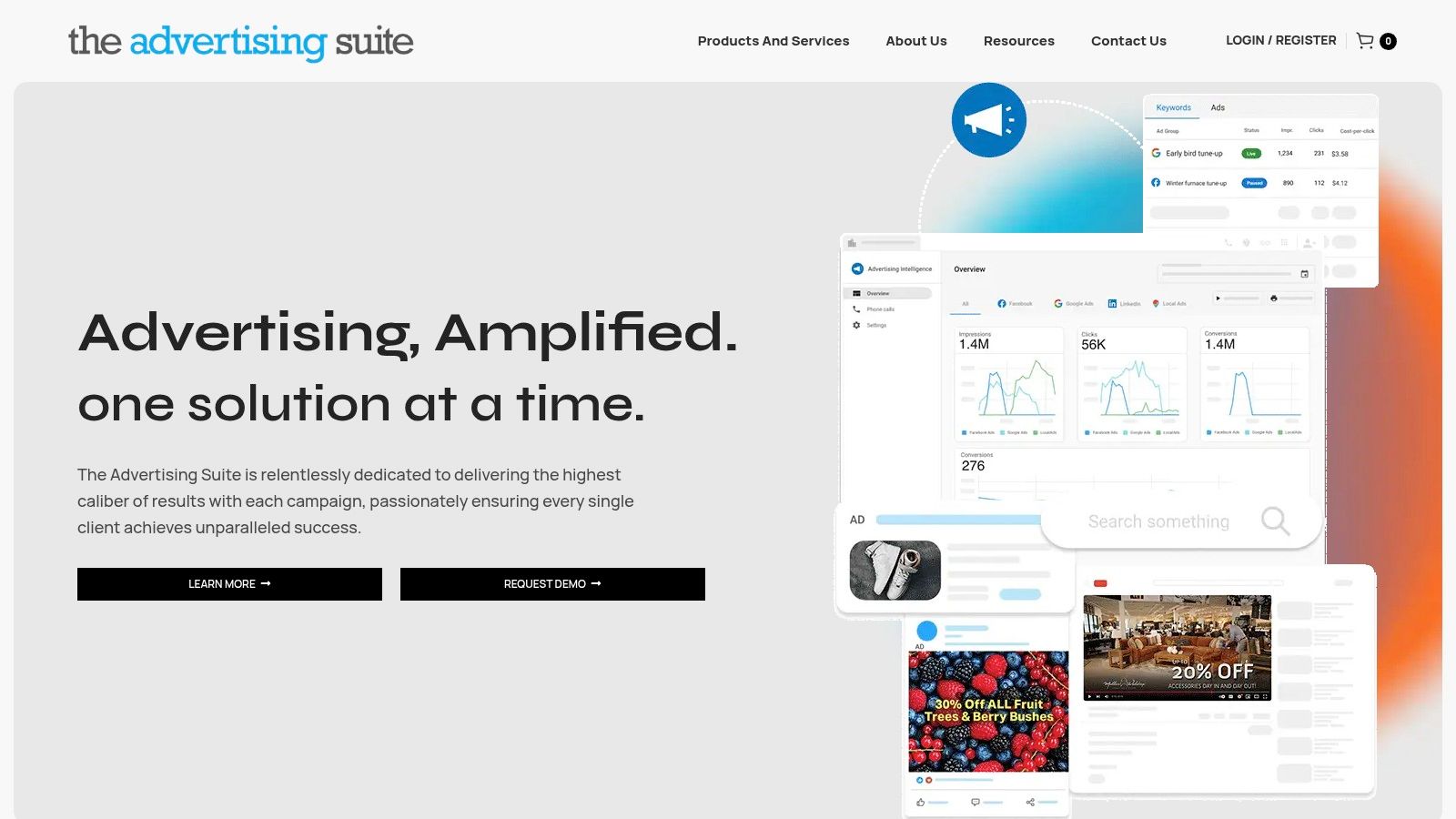
If you are done paying for disconnected tools, vanity reports, and agency activity that never reaches the bottom line, The Advertising Suite is built for that job. We combine a built-in CRM with reputation and growth systems that help connect acquisition, follow-up, and client experience in one operating flow. The Ad Suite Membership includes a 25% discount on all services and access to the proprietary software behind that system. With 10,000+ satisfied customers and a revenue-focused model, we help founders build a cleaner path from click to client to retention. Request a Demo or Explore the Membership if you want a growth partner that cares about revenue, not just reporting.