A founder opens the CRM and sees a healthy stream of new leads. The forms work, campaigns are running, and the dashboard looks busy. Then comes the uncomfortable question: who is following up, with what message, and based on which signal?
That gap is where revenue disappears. Marketing automation in CRM should do more than save a team from repetitive email work. It should prioritize real buying intent, protect customer consent, preserve attribution, and move the right opportunity to the right person without forcing sales to reconstruct the story from scattered tools.
The distinction matters because automation has become standard infrastructure. 76% of businesses use marketing automation, while 96% of marketers have used a platform or plan to use one within a year, according to current marketing automation adoption data. The winners won't be the teams with the most elaborate journey maps. They'll be the teams that connect customer behavior to clean CRM records, useful decisions, and measurable pipeline.
Why Marketing Automation in CRM Matters for Revenue, Not Time Savings
A founder opens a full CRM and still cannot answer one question: which record deserves attention first? Thousands of contacts do not create pipeline when fit, intent, ownership, and consent are disconnected.
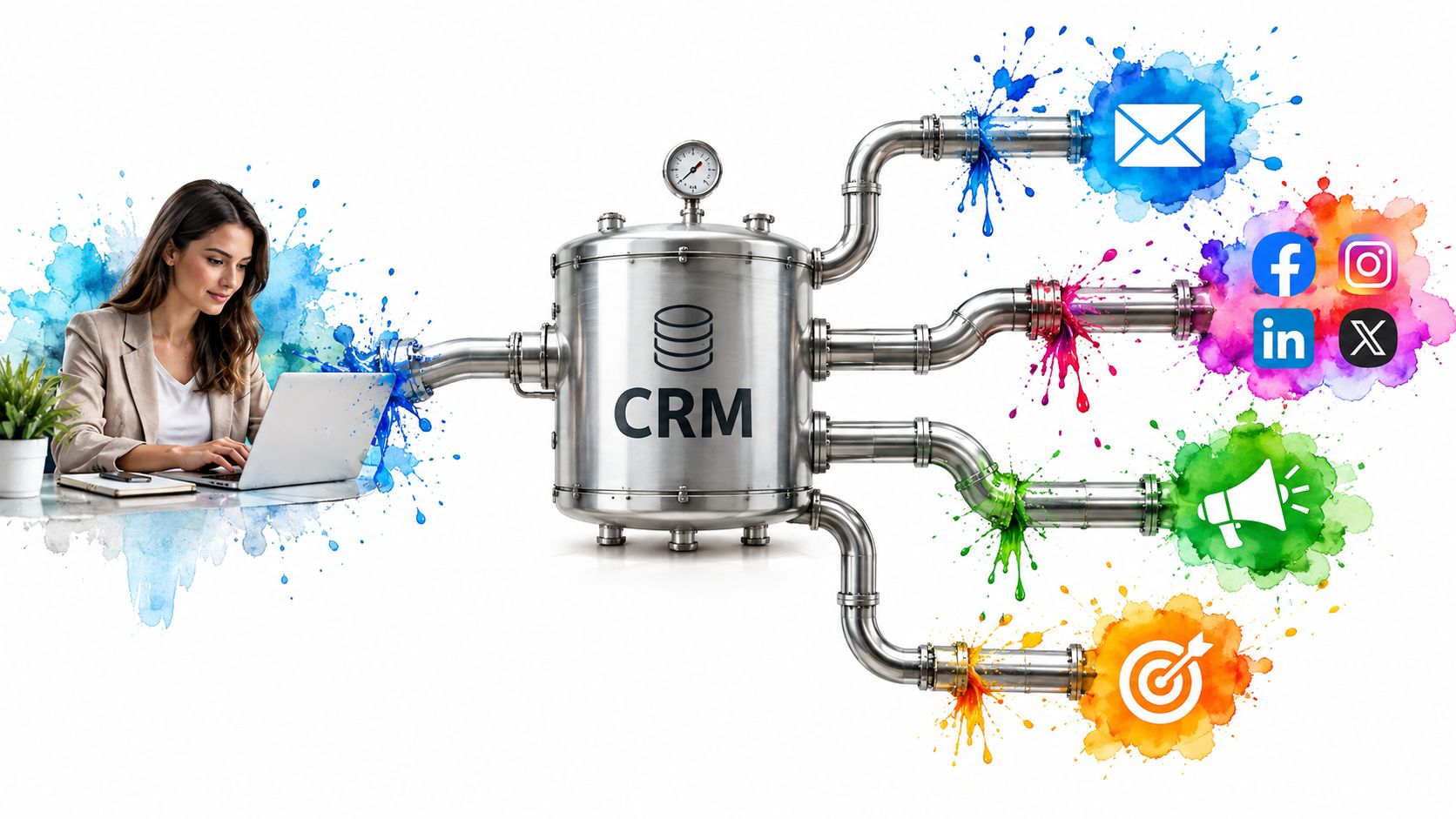
Marketing automation in CRM turns those records into revenue decisions. A form submission can create a contact, assign an owner, preserve the original source, and trigger a relevant response. A high-intent action can update a score, create a sales task, and pause generic nurture. A closed deal can remove a customer from acquisition messaging and start onboarding.
Revenue rule: Automate the decision around the next valuable touch, not merely the task of sending a message.
Measure automation by revenue per qualified touch, not hours removed from a team's workload. A well-designed workflow decides:
- Who gets prioritized, using fit, intent, and negative signals.
- What communication comes next, according to lifecycle stage and behavior.
- When marketing stops and sales starts, through a defined handoff.
- Which data stays attached, including consent, source, activity, and ownership.
The handoff is where many systems fail. A lead can receive nurture after requesting a demo. A salesperson can call someone who opted out. A paid campaign can claim a conversion that began elsewhere. Each error weakens trust in the CRM, obscures revenue attribution, and creates a poor customer experience.
Buying groups make the problem harder. Several people from one account may research, engage, and influence a deal, while automation treats each contact as an isolated lead. Connect relevant activity to the account, preserve role and consent data, and prevent one person's action from triggering an inappropriate message to everyone else.
Privacy-grade workflow design matters just as much. Consent status must control eligibility before a message, task, or audience sync runs. Ownership and source fields need clear authority, or a sync break can overwrite the context sales needs.
CRM adoption reinforces its role as shared infrastructure. 87% of CRM systems deployed are cloud-based, and 81% of CRM users access them from multiple devices, according to CRM adoption and usage benchmarks. The practical recommendation is direct: fix the revenue handoff that fails most often, then automate around that bottleneck. More branches will not repair unclear ownership.
How Marketing Automation Actually Works Inside a CRM
Think of a good restaurant. The contact record is the reservation book. A trigger is the moment a diner sits down. An action is the server bringing water, taking the order, or alerting the kitchen. The journey is the entire meal, from arrival to payment and follow-up.
That analogy makes the technical structure easier to manage.

Start with the record
The CRM's contact and company records form the data layer. They should contain identity, firmographic or customer details, lifecycle stage, ownership, consent status, campaign source, and relevant activity history.
A contact record without context is just an address. A record with reliable context can support a decision. Before building workflows, define which fields are authoritative and which team owns them.
Define the event engine
Triggers tell the system when to act. They might include a form submission, a pricing-page visit, a change in lifecycle stage, a purchase, or a period of inactivity.
Conditions prevent the workflow from treating every contact alike. They can check consent, customer status, geography, product interest, account ownership, or whether a sales conversation is already active.
Build the execution layer
Actions perform the work. The CRM can send an email, create a task, update a field, assign an owner, notify a team, add a contact to a segment, or remove them from another sequence.
Each action needs a clear reason. If nobody can explain why an action exists, it probably shouldn't be automated yet.
Orchestrate the journey
A journey combines records, triggers, conditions, and actions into a sequence. For example, a new inquiry might receive an acknowledgement, enter a short educational sequence, receive a qualification task, and exit automatically when sales accepts the lead.
Keeping these layers close to the CRM reduces brittle handoffs between systems. Teams can inspect the record and see what happened, why it happened, and what should happen next. For a practical implementation model, review this marketing automation workflow guide.
The trade-off is that centralization demands discipline. A unified CRM with poor field definitions will only spread bad data faster. Build the data model first, then automate the actions that depend on it.
The Four Workhorses of CRM Automation
Serious CRM automation rests on four connected capabilities. Lead capture creates the record, scoring evaluates priority, segmentation determines relevance, and triggered campaigns deliver the next touch. Remove one, and the rest become less reliable.
Lead capture creates usable context
Capture should do more than collect a name and email address. It should preserve the source, requested topic, consent status, landing-page context, and lifecycle stage.
A service inquiry, for example, can create a contact, attach the campaign source, set the lifecycle stage to new inquiry, and route the record by territory. The system starts with an actionable record rather than an anonymous conversion.
Lead scoring ranks attention
Scoring translates behavior and fit into a prioritization signal. A pricing-page visit may increase urgency, while an invalid address, poor fit, or repeated inactivity should reduce it.
Don't build a model that only adds points. Negative scoring protects sales capacity and keeps marketing from inflating the pipeline with polite browsers.
Segmentation keeps messages relevant
Segments group contacts by attributes or behavior. A high-intent buyer, an existing customer, and an unresponsive prospect shouldn't receive the same campaign just because they share a field called “email.”
An ecommerce brand might place repeat buyers into a win-back or cross-sell segment, while excluding customers who recently purchased the same product. The CRM makes the audience dynamic as behavior changes.
Triggered campaigns create timely motion
Triggered campaigns respond to events instead of relying on a fixed broadcast calendar. A demo request can start a short nurture, create a sales task, and stop the sequence when a meeting is booked.
The four workhorses operate as a chain. Capture without scoring creates volume. Scoring without segmentation creates blunt messaging. Segmentation without triggers creates static lists. Triggered campaigns without clean records create confusion at scale.
| Workhorse | What It Does Inside the CRM | Concrete CRM Example |
|---|---|---|
| Lead capture | Creates and enriches a record with source, consent, context, and lifecycle data | A completed inquiry form creates a contact, assigns an owner, and records the originating campaign |
| Lead scoring | Ranks contacts using positive and negative fit or intent signals | A high-intent page visit raises priority and sends a notification to the assigned salesperson |
| Segmentation | Groups contacts dynamically by lifecycle, behavior, product interest, or account data | Recent repeat buyers enter a reactivation audience while recent purchasers are excluded |
| Triggered campaigns | Starts, pauses, or ends communication and tasks based on CRM events | A consultation request begins a nurture sequence and creates a follow-up task |
The benchmark supports prioritizing these workflows rather than treating automation as decoration. A 2026 CRM performance benchmark covering 10,000+ sales teams across 29 industries found that 67% of sales teams use at least one CRM automation workflow, while 100% of top performers do. That doesn't prove automation alone causes superior performance, but it does show where operational leaders standardize their process.
Where CRM Automation Quietly Breaks Down
The most dangerous automation failures don't crash the system. They produce plausible records, plausible scores, and plausible reports that lead teams toward the wrong action.
The single-contact model is a common culprit. Complex B2B purchases often involve a group of stakeholders, yet many workflows score and nurture one person as if that person represents the entire buying process. That can produce a qualified-looking contact while procurement, finance, operations, and executive decision-makers remain invisible.
Scoring also fails when it only rewards activity. Opens and clicks can indicate attention, but they don't automatically establish fit or buying authority. Without negative criteria, a curious student, competitor, or poorly matched company can outrank a quiet but suitable account.
Audit the handoff, not just the campaign
A reliable workflow answers five questions before launch:
- Who owns the record at each stage?
- What qualifies a handoff from marketing to sales?
- Which events lower priority or suppress communication?
- How does the system handle duplicate records and shared accounts?
- What evidence explains each automated decision?
The last question matters for privacy as much as performance. Guidance on privacy in marketing automation recommends documenting objectives, triggers, data fields, logic, recipient groups, and whether decisions are fully automated or require human approval.
Consent can't live in a vague note. A usable record should capture purpose, channel, status, source, timestamp, and evidence, with enforcement carried through integrations, suppression rules, and preference updates, as outlined in this CRM privacy and compliance playbook.
| Failure Mode | Root Cause | Corrective Action |
|---|---|---|
| Inflated lead scores | Positive activity is counted without negative fit or inactivity signals | Add disqualifying criteria, score decay, and explicit qualification rules |
| Flattened buying groups | One contact stands in for an account with multiple stakeholders | Model account relationships, roles, and stakeholder activity |
| Lost consent or attribution | Forms, ad channels, and CRM fields don't map consistently | Define required fields and test every sync path |
| Broken sales handoff | Teams use different lifecycle definitions | Document stage transitions, ownership, and acceptance criteria |
| Duplicate records | Multiple forms or imports create competing contact histories | Apply deduplication logic and establish a master record |
Use CRM and email integration practices to inspect the full path from capture to follow-up. Automation deserves the same quality assurance as a production pipeline. Test normal paths, exception paths, suppression paths, and ownership changes before real customers encounter them.
Matching CRM Automation to Your Business Model
The right workflow depends on how customers buy. A lean service business, an ecommerce brand, and a multi-location franchise shouldn't share the same scoring model or journey architecture.
Lean SMB sales teams
A small team usually needs speed, clarity, and low maintenance. Start with:
- Form capture, including source and consent.
- Immediate routing, based on owner, territory, or service type.
- Short follow-up sequences, with a clear exit when a salesperson engages.
Don't build a sprawling nurture tree before the team can respond to a high-intent inquiry. The useful automation is the one that gets a qualified lead accepted quickly and gives the salesperson enough context to make a relevant first contact.
Ecommerce brands
Ecommerce automation should follow lifecycle behavior. Browse abandonment, post-purchase education, replenishment prompts, win-back sequences, and customer segmentation all depend on a current history of product interest and transactions.
The important measure isn't whether a message generated activity. It's whether the CRM can connect the touch to a second order, retained customer, or useful customer segment. Suppress customers who just purchased, and don't send acquisition messaging to people already in a post-purchase experience.
Service franchises and multi-location brands
Franchises need routing logic before they need more creative. A new lead should reach the correct location, territory, or service line, with local ownership visible in the CRM.
Consent capture must also respect the applicable regional rules and channel preferences. A central team can provide the framework, but local teams need clear responsibilities for follow-up, status updates, and customer experience. CRM guidance for service businesses becomes practical rather than theoretical in this context.
| Business Model | Primary Automation Need | Recommended Starting Point | Main Trade-Off |
|---|---|---|---|
| Lean SMB | Fast qualification and follow-up | Capture, routing, scoring, and a short sequence | Less personalization, but faster deployment |
| Ecommerce | Lifecycle and repeat purchase motion | Behavioral segments and post-purchase journeys | More data complexity and suppression requirements |
| Service franchise | Local distribution and accountability | Territory routing, consent fields, and stage governance | Central consistency versus local flexibility |
Choose the profile that matches the buying motion. Complexity is not sophistication if the team can't maintain it.
Integration Best Practices That Prevent Sync Breaks
Sync breaks are a silent revenue leak because teams often notice them only after a campaign misfires or a salesperson questions the report. The fix starts with ownership, not another connector.
Make the CRM the source of truth
The CRM should own the contact record and its core lifecycle fields. Forms, advertising channels, enrichment systems, and messaging tools can contribute data, but they shouldn't overwrite critical fields without defined rules.
Write a field map before building the integration. Include:
- Identity fields, such as contact and account identifiers.
- Attribution fields, including original source and campaign parameters.
- Consent fields, including purpose, channel, status, source, timestamp, and evidence.
- Lifecycle fields, including stage, owner, qualification status, and next action.
Treat the map as a versioned contract. Every field needs a definition, an allowed format, a destination, and an owner.
Design consent as executable data
A free-text note saying “opted in” can't reliably control a campaign. Structured consent fields let the CRM suppress an individual channel, update preferences, and pass the correct status downstream.
Build suppression before launch. Include unsubscribes, hard bounces, invalid addresses, role-based addresses where appropriate, customers in sensitive service states, and contacts whose permission doesn't cover the planned purpose.
Compliance rule: If the workflow can't explain why a person entered it and why they remained in it, the workflow isn't ready.
Test both directions
A one-way export can hide stale records. Test bi-directional updates, conflict resolution, duplicate handling, failed writes, and delayed events. Then assign an owner who reviews the integration on a defined cadence.

The practical sequence is:
- Document the source of truth.
- Map fields and required values.
- Capture and enforce consent.
- Create suppression rules.
- Test exceptions and conflicts.
- Review logs and ownership regularly.
Use this marketing data integration framework to keep the architecture accountable. Integrations are contracts. Define the inputs, expected outputs, failure behavior, and responsible operator before anyone calls the system “connected.”
Measuring Revenue, Not Just Clicks
Open rates and click-through rates can make a dashboard feel productive while telling leadership little about pipeline movement. They describe message activity, not necessarily commercial progress.
A revenue-first CRM dashboard should connect automation to four questions:
- Did contacts progress through lifecycle stages?
- Did sales receive qualified opportunities with useful context?
- Did automated touches influence pipeline or closed revenue?
- Did the workflow create revenue efficiently enough to keep?
Build a focused reporting stack
Start with a source-of-truth report that maps each CRM contact to first-touch and last-touch campaigns. Preserve campaign IDs and disciplined tracking parameters through every sync, or attribution will collapse into a vague “direct” bucket.
Then add a stage-progression report. Compare movement before and after a workflow fires, while separating correlation from causation. Finally, create a campaign-level ROI view that brings together spend, opportunity value, and closed-won revenue.
A cross-channel attribution framework helps keep those records connected when customers interact across multiple channels.
Delete dashboards that can't support a decision. A beautiful engagement chart won't tell a sales manager which handoff needs repair.
| Metric | What It Measures | Why It Matters for CRM Automation | Reporting Cadence |
|---|---|---|---|
| Influenced pipeline | Opportunities touched by an automated workflow | Shows whether automation participates in meaningful deals | Weekly |
| Lifecycle conversion | Movement from one defined stage to the next | Exposes weak qualification or poor nurture logic | Weekly |
| Time to qualified handoff | Delay between qualifying signal and sales acceptance | Reveals response friction and ownership gaps | Weekly |
| Revenue per automation touch | Commercial value associated with automated interactions | Reframes automation around economic output | Monthly |
| Suppression and error rate | Contacts excluded or blocked because of data or consent rules | Protects deliverability, trust, and compliance | Monthly |
A strong operating rhythm is straightforward. Review pipeline and handoffs weekly. Audit automation logic, fields, consent, and attribution monthly. Change workflows when revenue targets or customer behavior require it, not because an email benchmark moved.
Turning Your CRM Into a Growth Engine
A CRM drives growth when three layers work together: the CRM is the system of record, automation connects the work, and measurement closes the loop. The result is a revenue system, not a pile of disconnected campaigns.
Build the smallest version that can produce a trustworthy handoff:
- One capture flow with source, consent, lifecycle, and owner fields.
- One scoring model that combines fit, intent, and negative signals.
- One triggered campaign with clear entry and exit conditions.
- One revenue report connecting contacts, campaigns, opportunities, and closed business.
Sequence matters. Assign ownership for source data before adding channels. Set consent rules before sending automated messages. Define lifecycle stages before asking sales to accept leads. A fast launch with weak data creates sync breaks, privacy risk, confused customers, and reports no one trusts.
CRM adoption is already broad. 91% of companies with 10 or more employees use a CRM system, and 65% of companies implement CRM within their first five years, according to CRM usage research. Ownership alone creates no advantage. Revenue comes from turning reliable records into timely touches and accountable handoffs.
Choose the first workflow by business model. Lean teams should repair the handoff that loses the most opportunities. Ecommerce brands should start with the lifecycle event closest to the next purchase. Multi-location businesses should begin with routing and consent. Review revenue per touch, then expand only where the results justify added complexity.
The Advertising Suite combines growth strategy, paid acquisition, CRM infrastructure, reputation management, and conversion optimization into one revenue-focused operating system. Request a demo or book a growth consult through The Advertising Suite to diagnose CRM handoffs and build a dependable automation sequence.